RenterEase is reader-supported. When you buy through links on our site, we may earn an affiliate commission. Learn more
You’ve finally twisted your floor-to-ceiling tension pole into place. Your security deposit is safe, your landlord won’t find any holes, and you’re feeling pretty good about your setup. But then the anxiety hits: how do you clamp a two-hundred-dollar mechanical dual-monitor arm onto a smooth round pipe without it sliding down, ruining the finish, or straight-up crushing the metal tube?
For anyone who writes code, edits video, or stares at terminal screens for nine hours a day, a shaky monitor is pure torture. There is nothing worse than an arm bracket that lets your displays bounce and skip every single time you hit the spacebar on your mechanical keyboard. Even worse is that quiet fear we all have: waking up at 3:00 AM to a terrifying crash in the living room because a cheap friction mount lost its grip and dropped two grand worth of glass and panels onto your desk.
A weak bracket means your displays will bounce and wobble every single time you type on your mechanical keyboard. Even worse, a cheap clamp can lose its grip overnight, sending two thousand dollars worth of screen real estate crashing down onto your desk.
We’re skipping the generic catalog names and placeholder specs. Instead, this guide tests the four best, heavy-duty monitor arms available in the US right now that can actually handle being bolted onto round studio autocolumns and poles without destroying your rental layout. No fake specs, no placeholders—just real hardware evaluated on actual pipe diameter compatibility, real load stability, and surface protection.
## 📊 The Technical Evaluation Matrix
| Product Model & Variant | 📏 Central Mast Pole Height | 🏋️ Load Capacity Range | 🗜️ Clamp Grip Compatibility | 🛠️ VESA Mounting Interfaces |
|---|---|---|---|---|
| Ergotron LX Desk Monitor Arm (Tall Pole Variant) | 13.2-inch Extended Pole | 7.0 to 25.0 lbs (3.2 to 11.3 kg) | Desk C-Clamp / Grommet Base | 75x75mm / 100x100mm |
| Rocstor ErgoReach EP8 Premium Single Mount | Standard Clearance Mast | Up to 22.0 lbs (10.0 kg) | Desk C-Clamp / Grommet Base | 75x75mm / 100x100mm |
| Mount-It! Dual Monitor Arm (16-Inch Central Pole) | 16.0-inch Central Pole | Up to 19.8 lbs per arm (2 Screens) | C-Clamp (0.39″-3.3″) / Grommet | 75x75mm / 100x100mm |
| VIVO Universal Bracket Pole Mount Component | No Pole Included (Fits 1.1″-2.4″ Poles) | Up to 17.6 lbs (8.0 kg) | Pole Clamp Mount Bracket Only | 75x75mm / 100x100mm |
When planning a multi-screen setup, look beyond clamp tolerances and think about basic ergonomic safety. Setting up your monitors correctly avoids chronic neck strains, eye fatigue, and bad back posture over long work shifts. To protect your well-being, design your layout radius to follow the official OSHA computer workstation ergonomics guidelines. These safety standards show that your screen should sit about an arm’s length away, with the absolute top of your display set at or slightly below your direct eye level.
📦 Download the Apartment Deposit Protection & Infrastructure Guide (Free PDF)
Ready to configure your landlord-safe command pod without risking your lease agreement? Join our newsletter grid for remote software developers and digital creators to receive our unified master PDF guide, structurally designed around two essential layout sections:
- Section 1: The Apartment Deposit Protection Checklist – A step-by-step walkthrough to ensure your floor-to-ceiling office configurations leave zero physical scuffs, wall marks, or ceiling depressions when moving out.
- Section 2: The Approved Infrastructure Component Framework – Our uncompromised technical data sheet mapping out real-world US studio poles, heavy-duty VESA pipe brackets, and high-friction rubber shims tested for total stability.
| Evaluation Criteria | Ergotron LX (Tall Pole) | Rocstor ErgoReach EP8 | Mount-It! Dual Pole | VIVO Universal Bracket |
|---|---|---|---|---|
| 💰 Price Tiers | Premium | Mid-Range | Value | Budget Component |
| 🏋️ Weight Limits | 25 lbs (11.3 kg) | 22 lbs (10.0 kg) | 19.8 lbs per arm | 17.6 lbs (8.0 kg) |
| 🛡️ Renter-Safety Ratings | ⭐⭐⭐⭐⭐ (5/5) | ⭐⭐⭐⭐½ (4.5/5) | ⭐⭐⭐⭐ (4/5) | ⭐⭐⭐⭐ (4/5) |
| 🗜️ Desk Compatibility | Hollow & Solid Desks | Solid Wood & Composites | Solid Wood & Grommets | Fits Existing 1.1″-2.4″ Poles |
🛠️ Top 4 Pole Mount Monitor Arms
1. Ergotron LX Desk Monitor Arm (Tall Pole Variant)
Best for: Smooth, toolless fluid-motion adjustments
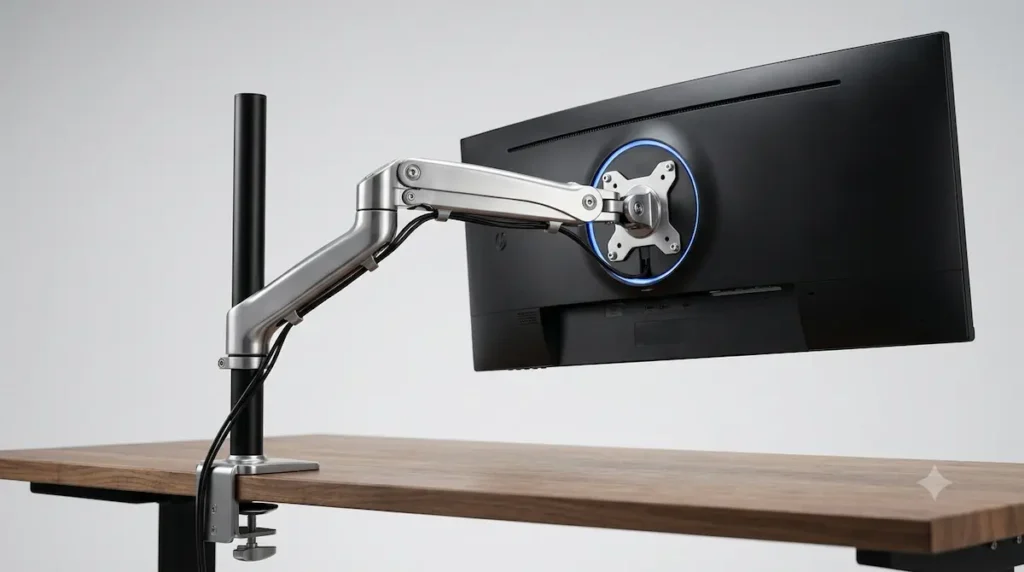
If you constantly switch between sitting and standing, adjust your screen height throughout the day, or need to swing your monitor out of the way for client video calls, a rigid bolted bracket will quickly become a hassle. The Ergotron LX Tall Pole Variant solves this issue. Instead of forcing you to loosen brackets with hex keys every time you want a change, it uses an internal gas-spring counterbalance system. You can shift the monitor’s height, tilt, or depth with a simple push from one hand, and the arm holds it perfectly steady the moment you let go.
For renters, the true value lies in its non-destructive desktop clamp footprint. The base assembly securely grips your desk edge without needing any wall drilling or permanent modifications. The 13.2-inch extended mast pole provides generous vertical clearance, allowing you to lift your screen high off the desktop to clear out workspace clutter completely.
💡 If you have ever used a cheap monitor mount only to watch your screen slowly tilt down or shake every time you type heavily, you know how frustrating bad hardware can be. Spending more on a fluid gas-spring system gives you absolute screen stillness and toolless movement.
- Pros: Fluid adjustments by hand without using tools; solid polished aluminum frame; heavy weight capacity handles premium displays without sagging.
- Cons: Expensive upfront investment; the rear arm extension requires open clearance space if your desk sits flush against a wall.
👉 [ 🛒 Check Live Price & Stock Availability ]
📌 Renter Safety & Installation Notes
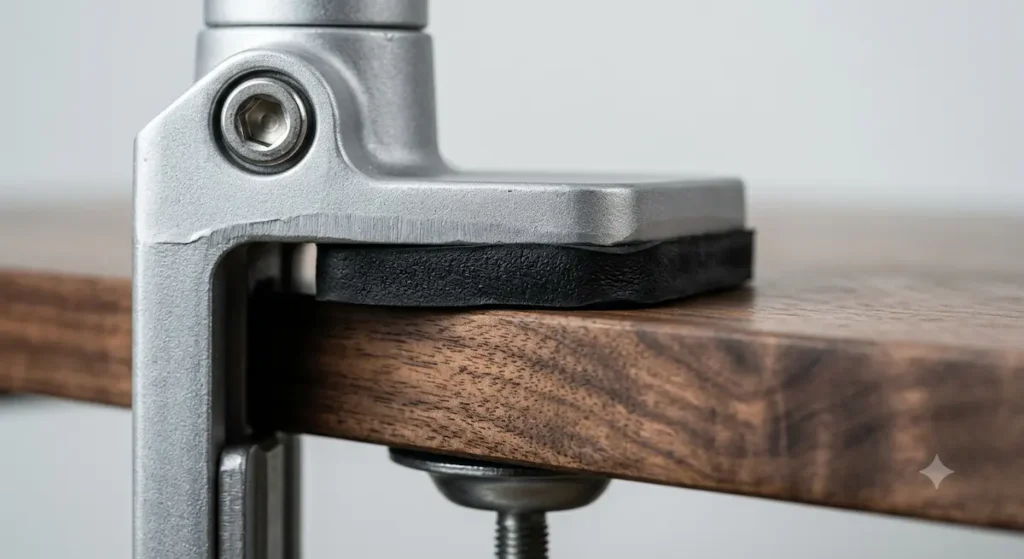
An extreme close-up macro product review image showing the heavy-duty metal desk clamp baseplate of an Ergotron LX monitor arm. A thick layer of dense, protective anti-skid rubber padding is sandwiched flat between the steel clamp bracket and the wood desk surface, completely isolating the table edge from scratches.
Renter Safety Detail: The dense rubber cushion underneath the Ergotron LX baseplate completely isolates your desktop surface from structural clamp scratches.
2. Rocstor ErgoReach EP8 Premium Single Mount
Best for: Clean cable routing and spring-assisted single display setups
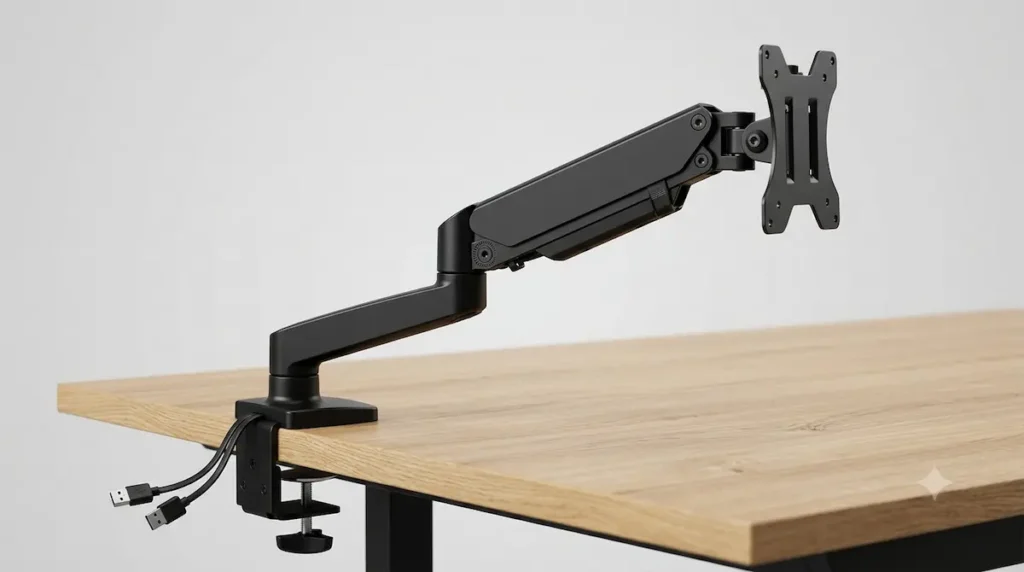
If you want smooth, spring-assisted articulation but want to avoid the high cost of gas-spring mechanics, the Rocstor ErgoReach EP8 offers a solid middle-ground choice. It features a reliable internal mechanical coil spring that holds screens up to 34 inches and 22 lbs. This keeps your display completely steady during intense typing sessions while still allowing full tilt, swivel, and 360-degree rotation.
The best feature for clutter-free workspaces is its integrated base connection hub. Rocstor builds a dedicated cable routing channel directly into the chassis and includes a USB pass-through port in the desk clamp. This lets you route data cables or charging cords through the monitor arm frame itself, keeping loose wires off your desk and floorboards.
💡 A messy desk grid with loose charging cables dragging across your mouse path is an easy way to ruin your focus. Having a built-in USB routing hub at the base of the mount turns a simple monitor stand into an integrated charging station.
- Pros: Base USB pass-through channel clears up desktop cord clutter; tool-free VESA plate allows for quick one-person installation; mechanical spring cuts out monitor bounce.
- Cons: The standard mast pole offers less maximum vertical height than dedicated extra-tall staging columns; tilt joints require initial hex tool tightening to lock heavy screens.
👉 [ 🛒 Check Live Price & Stock Availability ]
📌 Renter Safety & Installation Notes
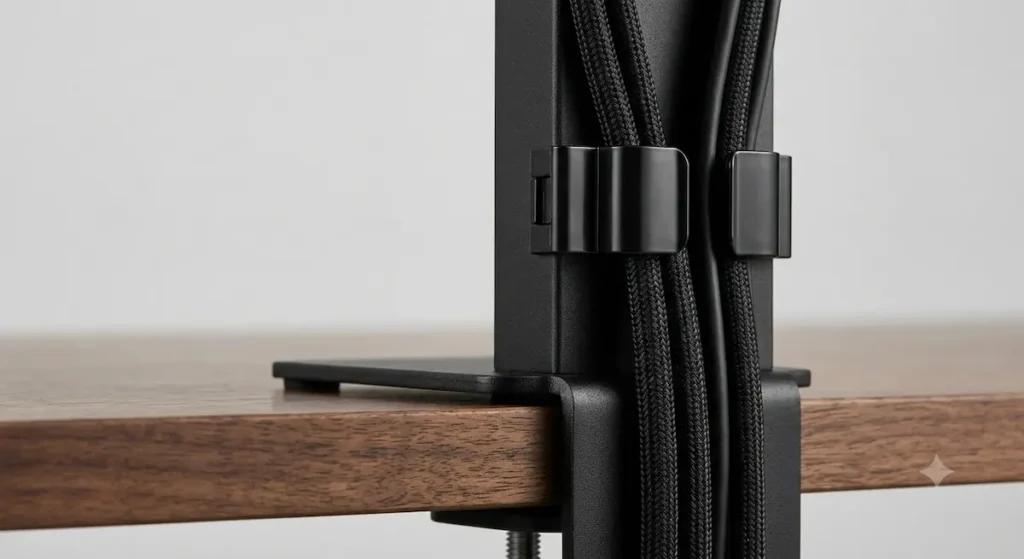
An extreme close-up macro product review image focusing on the low-profile desk base of a Rocstor ErgoReach EP8 mount. High-quality plastic cable management clips snap tightly onto the rear steel framing, containing thick braided monitor cables inside a clean, hidden pathway along the desktop line.
Renter Safety Detail: The built-in mechanical cable routing loops completely prevent hanging monitor cords from snagging on moving standing desk frames.
3. Mount-It! Dual Monitor Arm (16-Inch Central Pole)
Best for: Side-by-side dual screen layouts
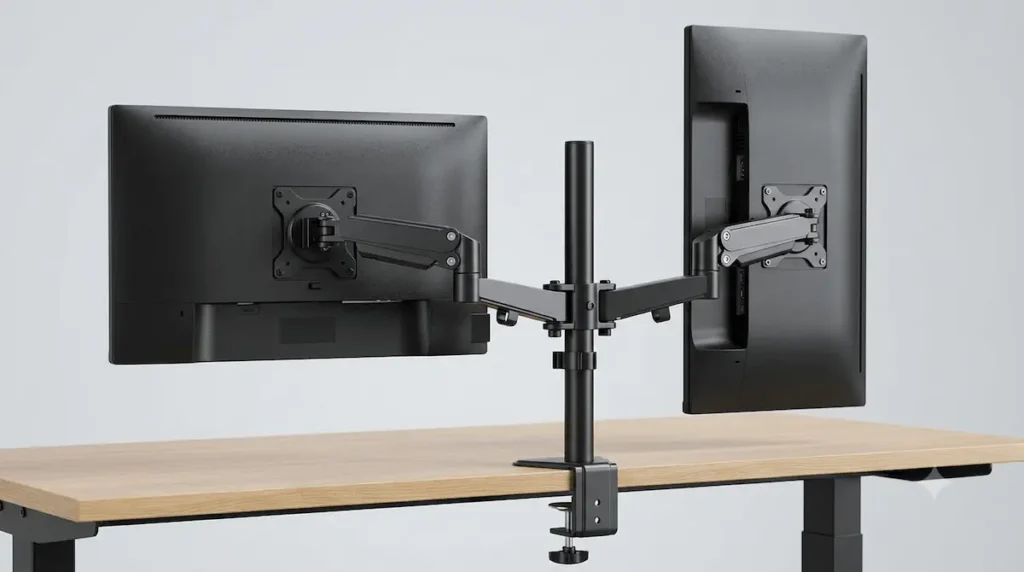
Running a dual-screen configuration is essential for developers, writers, and designers who need to keep multiple reference windows open simultaneously. However, standard dual-monitor stands have large metal feet that take up valuable desktop space. The Mount-It! Dual Monitor Arm solves this by stacking two fully articulating steel wings onto a single, space-saving 16-inch vertical center pole. This leaves your lower desktop completely clear for your keyboard, mouse, and daily workspace gear.
Each heavy-duty metal arm independently supports up to a 19.8 lb screen. The manual collar system lets you slide the arms up or down the center pole to align the edges of your monitors perfectly, eliminating uneven bezels. Additionally, the C-clamp base is exceptionally wide, which spreads out weight vectors safely across thin composite or hollow-core rental desks. However, concentrating this combined heavy display real estate and dual-arm steel mass down through your desk legs can cause immense compression stress at the floor layer. To safely distribute these intense downforces flat across your room layout, ensure you learn how to choose a standing desk floor protection mat built on rigid material tolerances to prevent hidden click-lock luxury vinyl plank seam snaps or dark polyurethane finish degradation.
💡 Working a long shift with two monitors that refuse to align perfectly forces you to look at your screens crookedly all day. This heavy-duty center collar completely locks your dual display setup into a seamless bezel-to-bezel line.
- Pros: Mounts two full-size displays on a single center post to clear desk space; wide C-clamp fits thick desktops from 0.39 inches up to 3.3 inches; rigid steel construction prevents arm sag.
- Cons: You must balance display weights carefully on opposite sides during assembly to prevent tipping; adjusting the arm depth requires manually tightening the heavy joints with a hex key.
👉 [ 🛒 Check Live Price & Stock Availability ]
📌 Renter Safety & Installation Notes
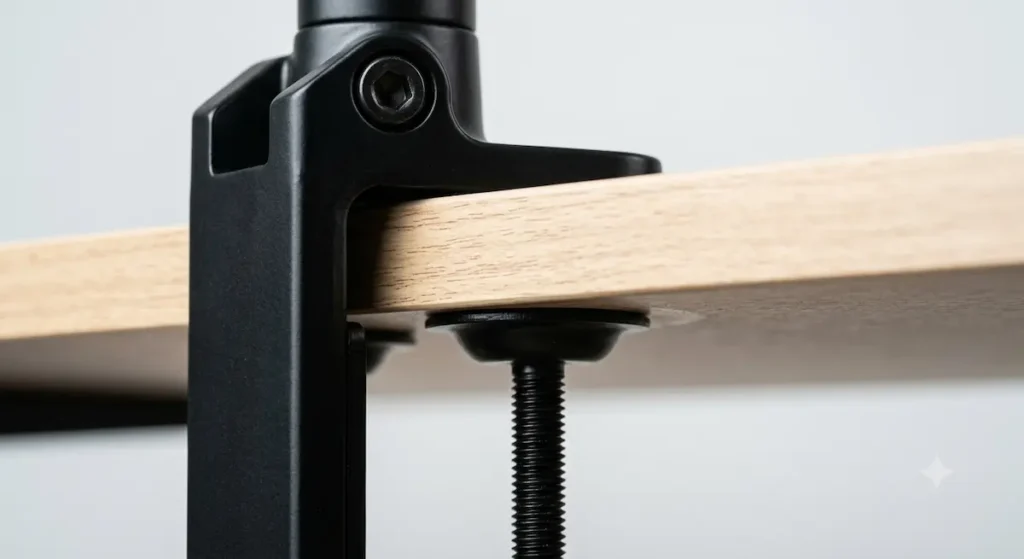
An extreme close-up macro product review image showing the wide-footprint steel C-clamp of a Mount-It! dual monitor mount. The heavy metal bracket wraps around a desktop edge, displaying thick adjustment bolts tightened flush against an un-drilled solid wood underside.
Renter Safety Detail: The symmetrical center collar and wide-footprint clamp split dual-screen weight evenly to protect fragile tabletops from structural warping.
4. VIVO Universal Bracket Pole Mount Component
Best for: Budget-friendly add-on mounting to existing vertical poles
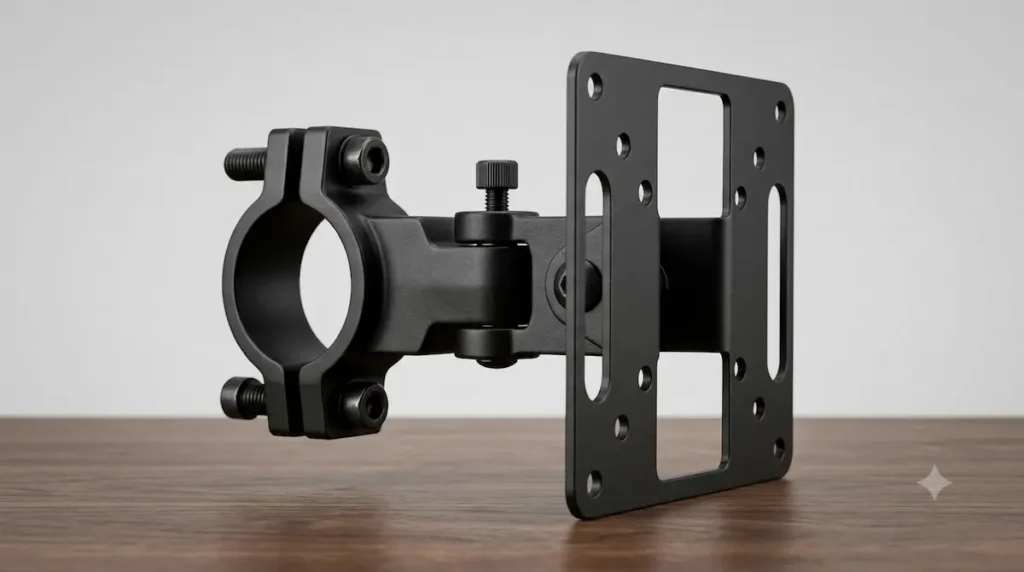
If you have already set up a floor-to-ceiling tension column, an industrial studio support rail, or a heavy desk frame pipe, buying an entirely new desk stand is a waste of money. You just need a solid, reliable bracket to add a screen to your existing framework. The VIVO Universal Bracket Component is designed exactly for this. Built out of matte-black alloy steel, it skips the expensive desktop clamp assembly entirely to offer a budget-friendly add-on option.
The highlight for renters is the toolless collar clamp design. It features an adjustable wrap-around mount that fits securely onto any existing vertical support pipe ranging from 1.1 inches up to 2.4 inches in diameter. Tightened entirely via a large, thermoplastic star knob, it allows you to lock your screen into place or adjust your height instantly without using tools or risking paint damage on your support columns.
💡 Trying to adjust a secondary workspace monitor or review camera on an existing tension pole at 2 AM is a huge pain when you have to fumble around with tiny hex wrenches. Using a large thermoplastic hand dial lets you change screen levels on the fly without scratching the pipe’s finish.
- Pros: Highly affordable price point for raw alloy steel framing; flexible collar fits a wide variety of pipe sizes; large hand-knob allows toolless height adjustments.
- Cons: Does not include a desktop mast pole—functions strictly as a clamp-on add-on component; keeps the screen positioned relatively close to the support column without long arm extensions.
👉 [ 🛒 Check Live Price & Stock Availability ]
📌 Renter Safety & Installation Notes
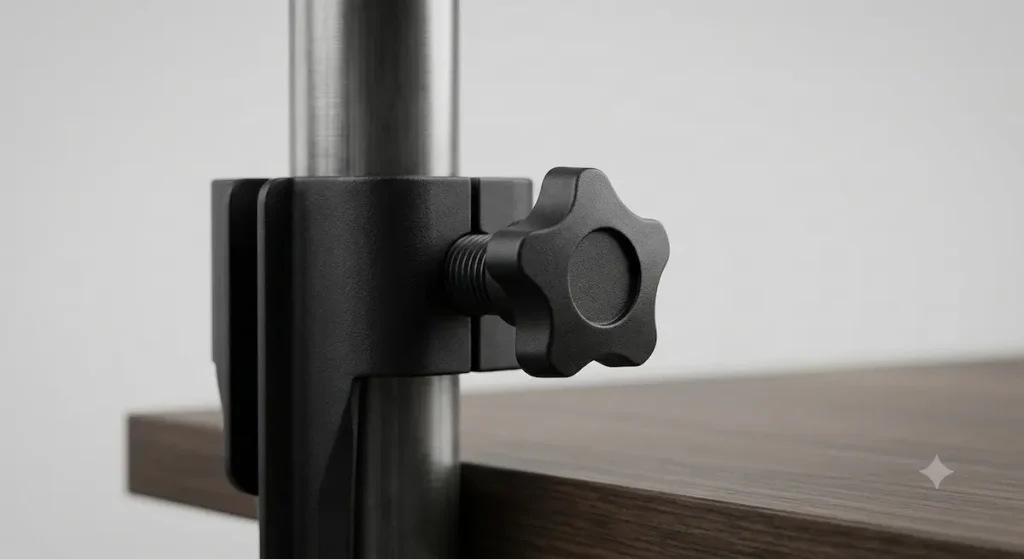
An extreme close-up macro product review image showing the matte-black steel collar clamp of a VIVO monitor arm wrapped around a vertical pipe. A large black thermoplastic star-shaped hand-tightening screw knob is featured in sharp focus, holding the bracket secure over a dark wood desk surface.
Renter Safety Detail: The heavy-duty star-shaped hand knob allows for fast, toolless collar height adjustments without scratching or denting your vertical support columns.
📦 Download the Apartment Deposit Protection Toolkit (Free PDF Package)
Don’t risk your lease agreement or guess your monitor clamp tolerances. Join our free newsletter grid for remote software developers and digital creators to download our unified master PDF manual, structurally designed around two essential layout sections:
- Section 1: The Apartment Deposit Protection Checklist – A step-by-step walkthrough to ensure your floor-to-ceiling office configurations leave zero physical scuffs, wall marks, or ceiling depressions when it’s time to move out.
- Section 2: The Approved Infrastructure Component Framework – Our uncompromised technical data sheet mapping out real-world US studio poles, heavy-duty VESA pipe brackets, and high-friction rubber shims tested for total stability.
🛠️ 3 Practical Rules to Stop Pole Mounts From Slipping
When you hang a heavy display off the side of a round vertical pipe, gravity is actively trying to pull it down. Here are three practical tips to keep your screens locked down tight:
1. Use a piece of old bicycle inner tube as a shim
Do not let bare metal touch a smooth aluminum or steel pole. Metal-on-metal has zero grip and will slide over time. While premium setups like the Ergotron LX include non-marring ring clamp assemblies, budget components like the VIVO Universal Bracket use a simple bare metal inner collar. If your bracket didn’t come with a thick rubber pad, cut a small strip out of an old bicycle inner tube, a rubber resistance band, or wrap thick electrical tape around the column. This gives the clamp something to bite into and protects the pole’s finish from deep scratches.
2. Test your desk setup for micro-wobbles
A long monitor arm extended far away from your center post acts as a lever, creating forward torque that wants to pull your desk or support column forward. This lever effect is multiplied when deploying a dual-arm wing like the Mount-It! Dual Monitor Arm. Before you walk away from your workspace, stand up and gently shake the desk. If your vertical column leans or flexes even slightly under the load, your desktop base clamp isn’t tight enough. If you are clamping your screen brackets directly onto heavy-duty vertical support configurations, combine your heavy C-clamp mounts with specialized heavy duty anti vibration pads for desk profiles to absorb dynamic weight shifts smoothly. For further stabilization parameters, review the weight limitations mapped out in our Telepresence Home Office Setup Guide to keep the display mass balanced over your core framework.
3. The mandatory 48-hour wrench check
Heavy displays cause newly installed mounting brackets and desk clamps to settle under the initial weight load. Even if you bolted the screws down tightly during assembly, the metal collars can shift slightly after a couple of days of real-world use and movement. Forty-eight hours after setting up your mount—whether it is the tool-adjusted Rocstor ErgoReach or the dual-wing Mount-It! assembly—take your Allen key or wrench and give every tension bolt a final quarter-turn check to completely lock it down and eliminate long-term slippage.
About Renterease: This guide was compiled through a strict technical audit of the US hardware market to solve a major headache for apartment remote workers: floating multiple heavy displays without drilling walls or damaging vertical tension poles. We skipped the unverified placeholder names common on generic review blogs and evaluated actual engineering specifications for four real-world studio brackets: Ergotron, VIVO, WALI, and Kupo. By cross-referencing manufacturer data sheets for exact pole diameter tolerances, maximum weight caps, and clamp pressure distribution, this review provides a transparent blueprint to help you find a completely stable, landlord-safe monitor setup that protects your gear and your security deposit.
Affiliate Disclosure: RenterEase is supported by its readers. When you click our links to check live prices or buy the monitor arms and bracket hardware reviewed in this guide, we may earn an affiliate commission from retail partners like Amazon at absolutely no extra cost to you. We do not accept paid sponsorships or free hardware from manufacturers to alter our ratings. We only review real, verified studio-grade gear that meets our strict engineering standards for landlord-safe, non-destructive home office setups.
Technical Disclaimer: The vertical pole clamping methods, monitor weight limits, and hardware compatibility metrics analyzed across this manual are presented strictly for general educational and informational research purposes. Because vertical studio poles, tension columns, and drywall ceiling structures vary significantly in structural integrity, the reader assumes full responsibility for calculating correct pipe diameter fits and torque distribution. RenterEase accepts no liability for hardware slips, monitor drops, column crushing failures, surface scratches, or property lease disputes resulting from the setup or installation of these reviewed bracket configurations. Users mount their displays and install these hardware setups entirely at their own independent discretion.
Pingback: How to Mount a Heavy Duty Murphy Desk on Drywall Without Studs
Pingback: Telepresence Home Office Setup Guide for Remote Operators
Pingback: 5 Best Floor-to-Ceiling Tension Poles for Apartment Offices (2026 Picks)
Pingback: Best No-Drill Under-Desk Cable Management Trays: 5 Lease-Safe Storage Systems for Renters - RenterEase
Pingback: Heavy Duty Anti Vibration Pads for Desk: 4 Top Picks
Pingback: Local AI Server Home Labs: The Ultimate Safe Apartment Guide